

Overview
The Trello integration provides two workflow actions for managing cards from Rootly incidents. If you are unfamiliar with how Genius workflows work, visit the Workflows documentation first. Trello organizes content in a hierarchy: Boards → Lists → Cards. When configuring workflow actions, select the board first, then the list within that board.Available Workflow Actions
Create a Trello Card
This action creates a new card in a specified Trello list.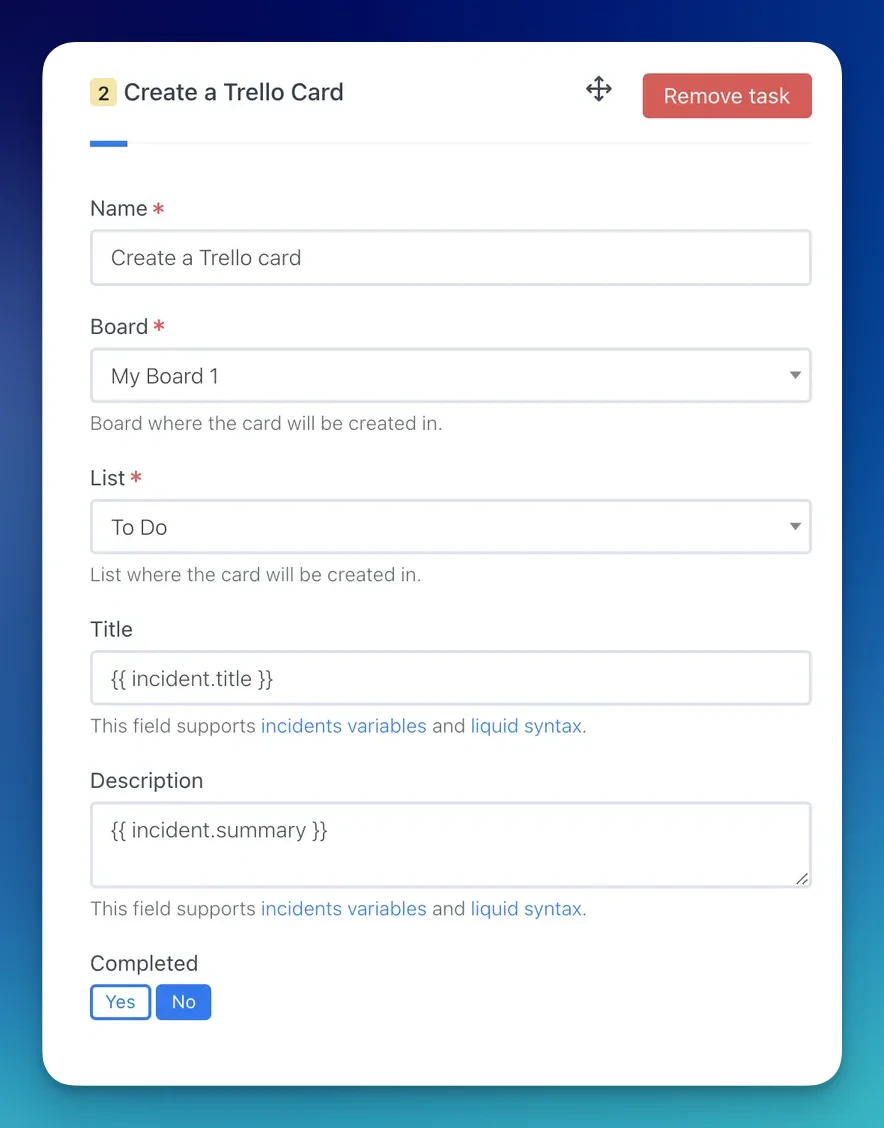
Use the Incident Variable Explorer to preview what Liquid variables return for your incidents.
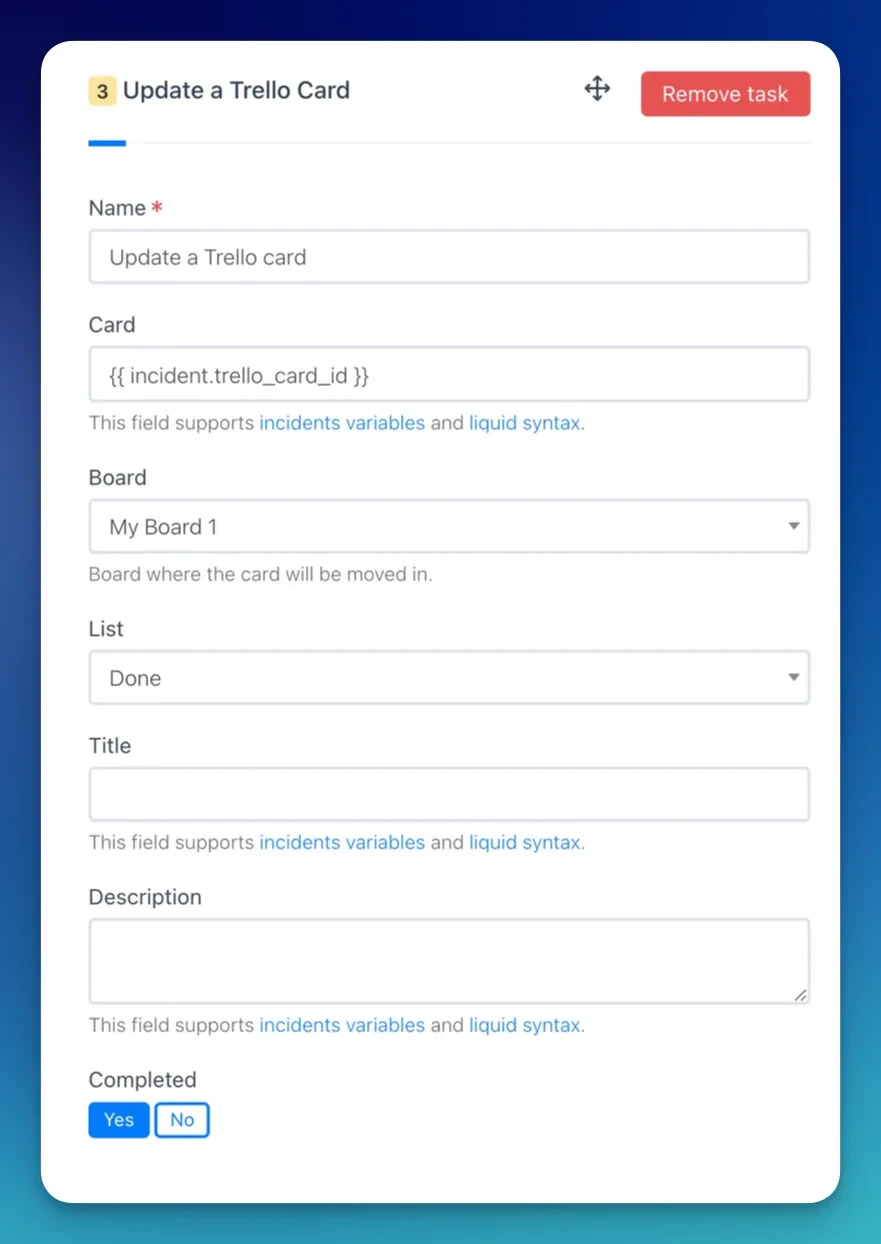
Update a Trello Card
This action updates an existing Trello card.When a Create a Trello Card action runs, Rootly stores the resulting card ID on the incident record. Reference it in subsequent update actions using Liquid variables.
Troubleshooting
Board or list is not appearing in the dropdown
Board or list is not appearing in the dropdown
Rootly loads boards and lists from your authorized Trello account. If boards you expect to see are missing, confirm the authorizing user has access to those boards. Re-authenticating the integration may refresh the available list.
Labels are not available for selection
Labels are not available for selection
Labels in Trello are scoped to a specific board. Select a board first — labels will load automatically based on the selected board.