The Mattermost integration connects Rootly with your Mattermost workspace so responders can work from chat while Rootly keeps the incident record up to date.This integration is best for teams that use Mattermost as a primary collaboration tool and want to manage incidents without constantly switching between Mattermost and the Rootly web app.With the Mattermost integration, you can:
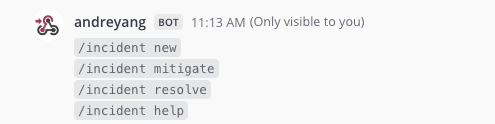
Declare incidents directly from Mattermost with slash commands
Automatically create a dedicated Mattermost channel for each incident
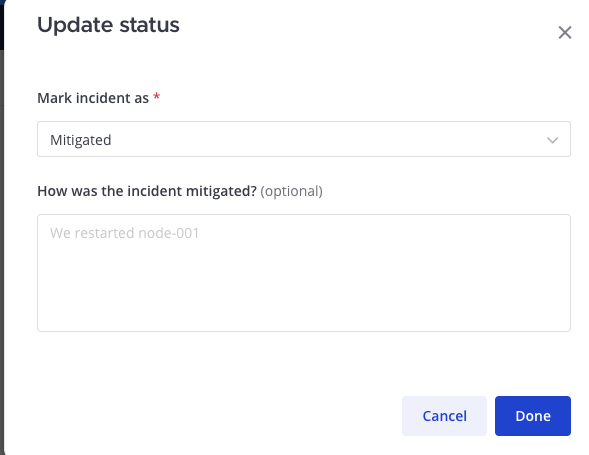
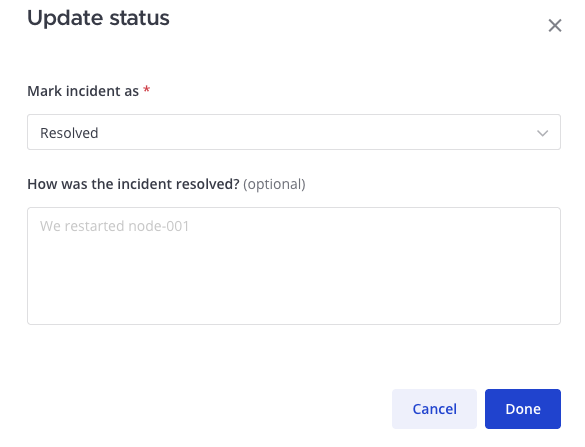
Mitigate and resolve incidents from the incident channel
Guide responders through a consistent incident workflow from chat
Keep Rootly and Mattermost in sync during the incident lifecycle
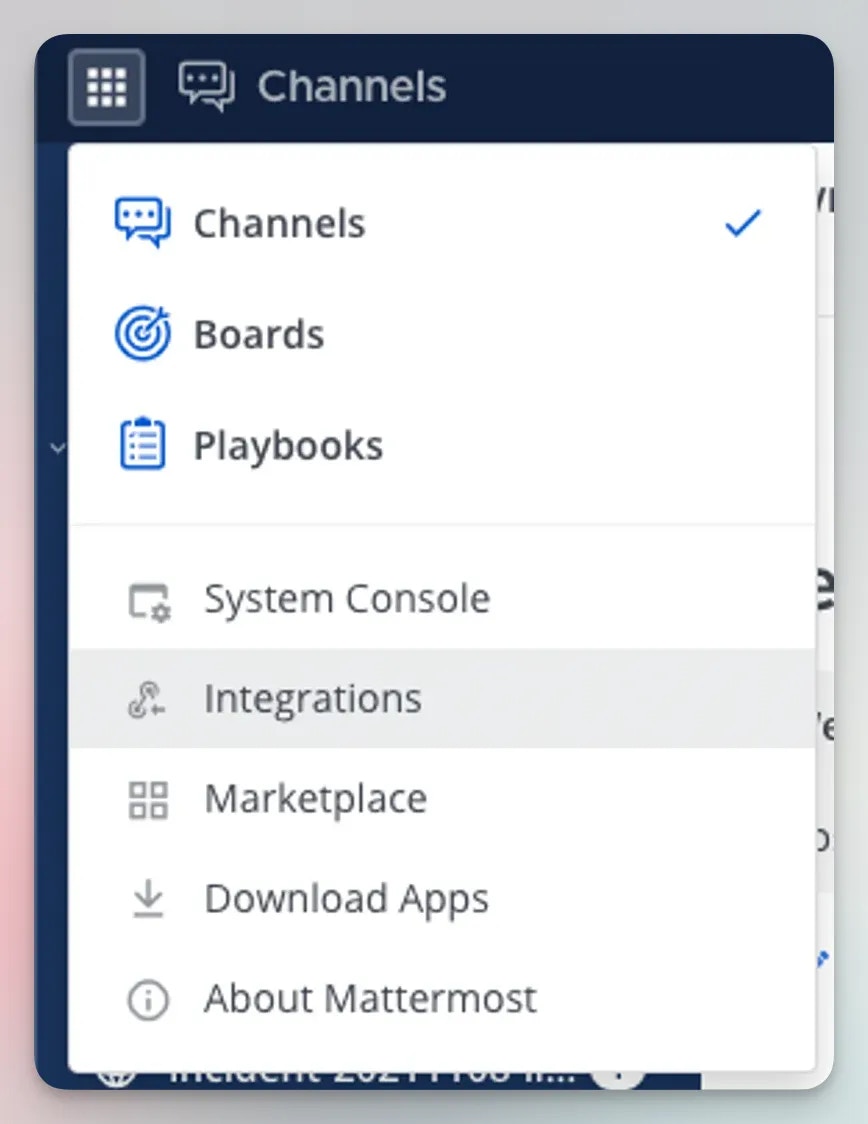
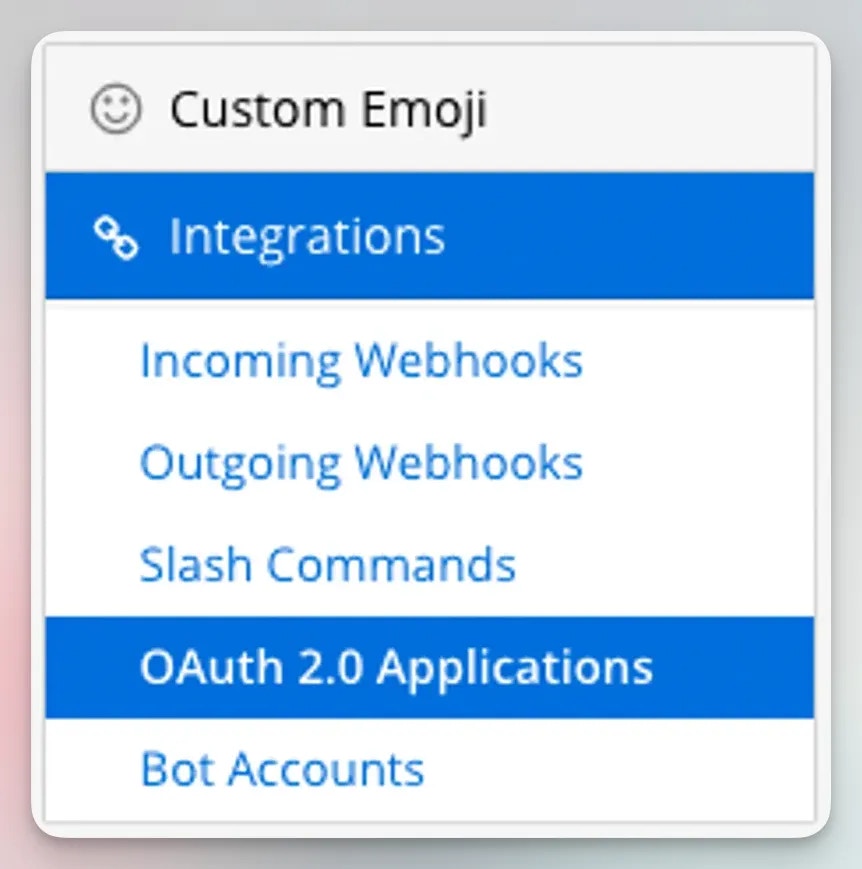
In Mattermost, navigate to Menu > Integrations, then open OAuth 2.0 and create a new OAuth application.
Menu > Integrations
OAuth 2.0
Configuration
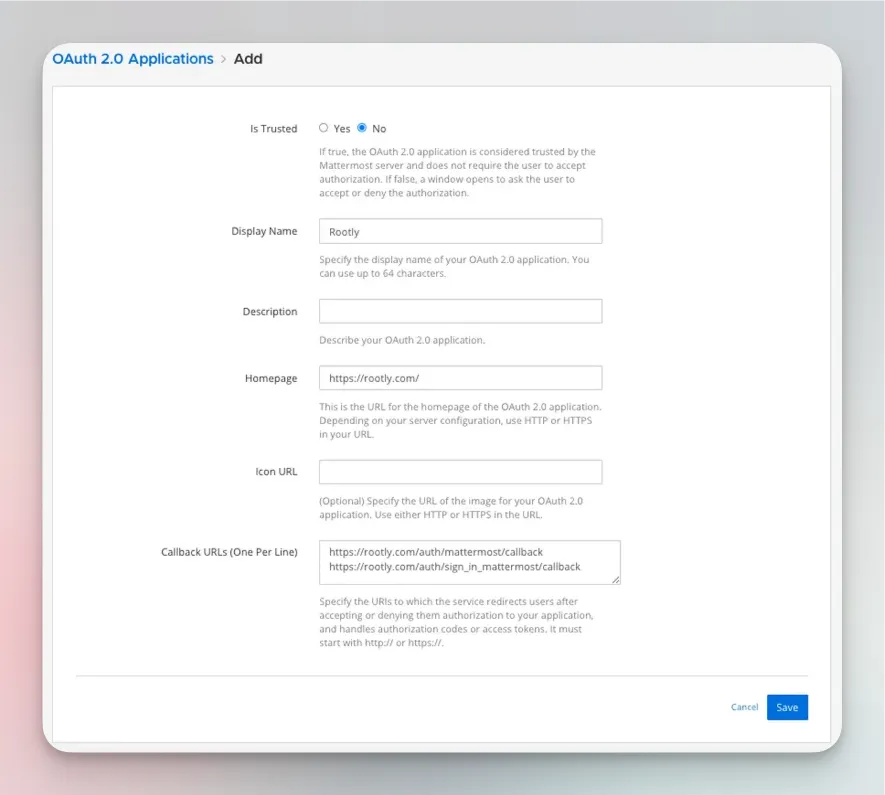
Add Rootly callback URLs
In the Mattermost OAuth application, add both of the following redirect URLs:https://rootly.com/auth/mattermost/callbackhttps://rootly.com/auth/sign_in_mattermost/callbackThe first URL is used when an admin installs the Mattermost integration in Rootly. The second is used when individual users connect their Mattermost account with /incident connect.
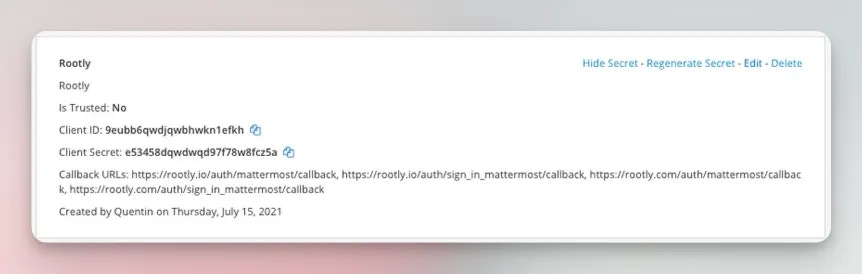
Copy the OAuth credentials into Rootly
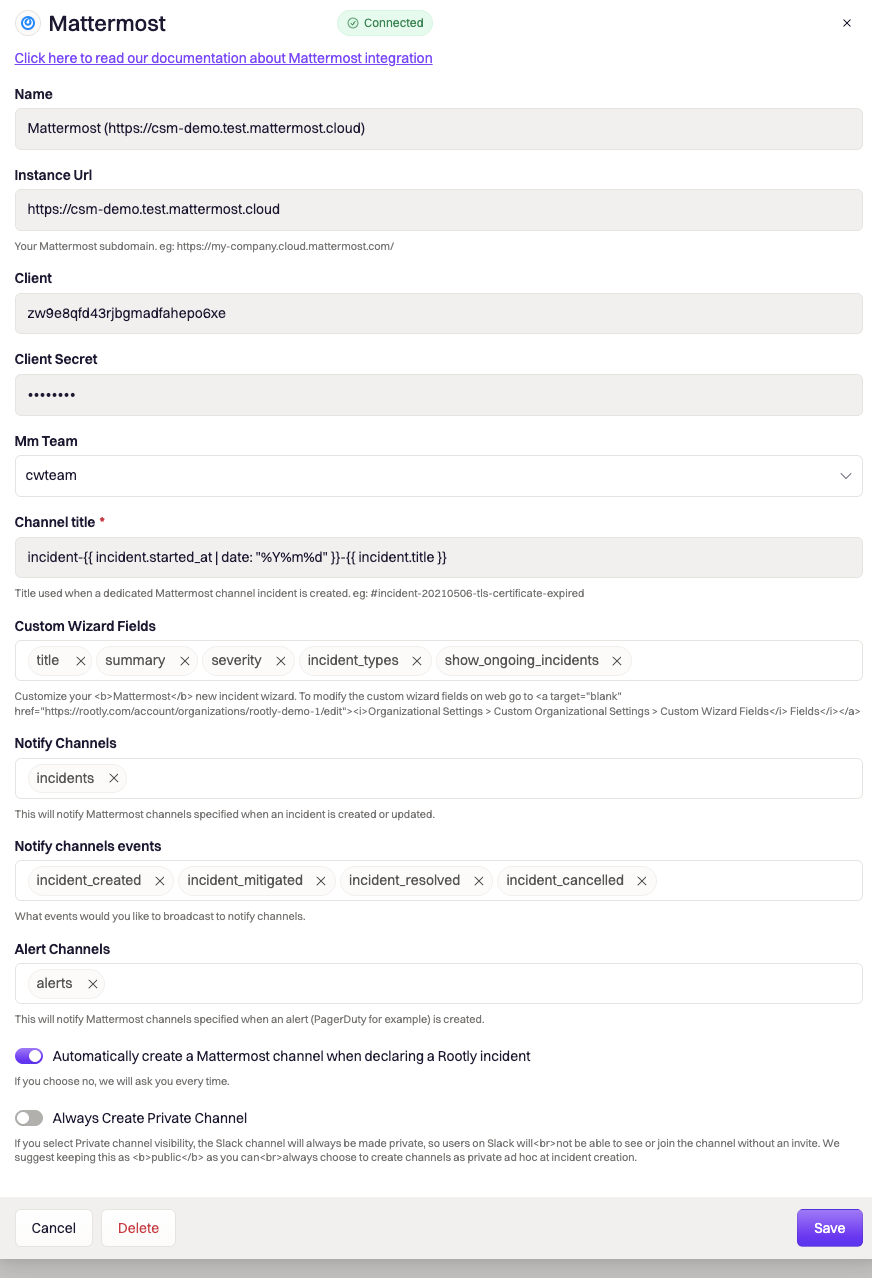
After saving the OAuth application in Mattermost, copy the client_id and client_secret into the Mattermost integration settings in Rootly.
Open the Mattermost integration settings in Rootly
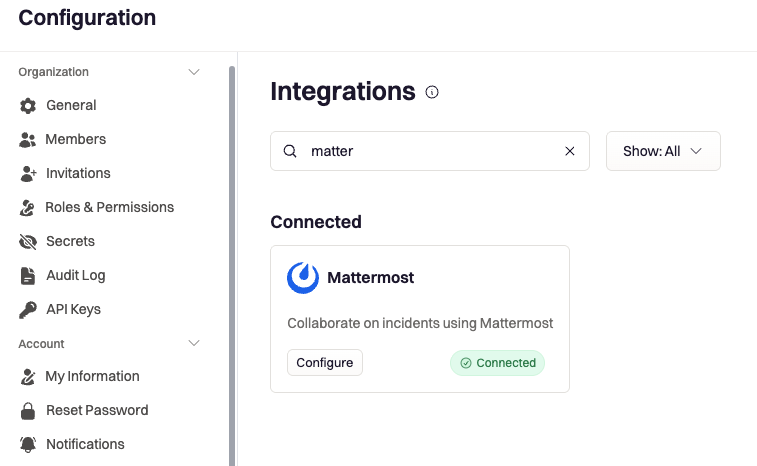
In Rootly, navigate to Settings > Integrations > Mattermost > Configure.
Review channel and incident creation settings
In the configuration panel, you can define how Rootly works with Mattermost during incident creation and response.Available options include:
Channel title for incident channels
Whether to automatically create a Mattermost channel when an incident is declared
Whether incident channels should always be private
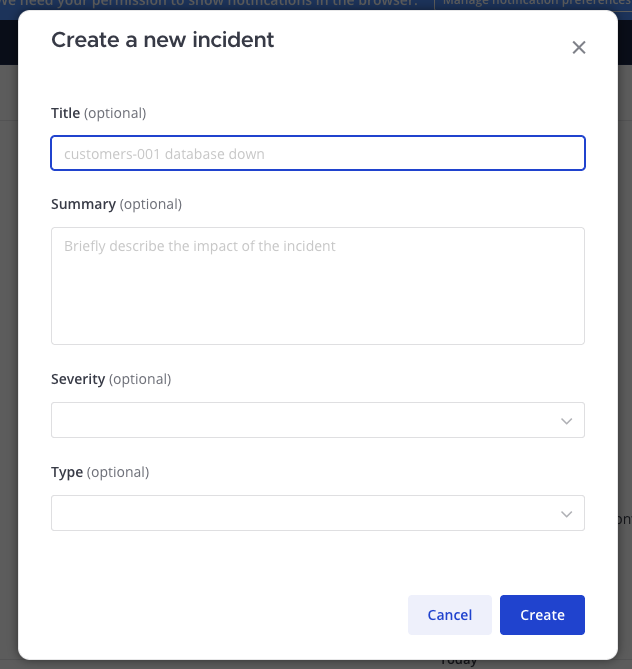
Which fields appear in the incident creation wizard
Which incident events should be posted into the Mattermost channel, including:
Incident created
Incident mitigated
Incident resolved
Incident cancelled
You can also control what data responders are asked to provide during incident creation so the Mattermost experience matches your team’s incident process.
Each user who wants to manage incidents from Mattermost must complete this step.
Run the connect command in Mattermost
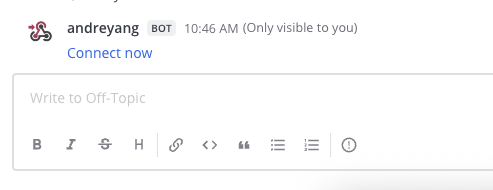
After the integration is installed, run /incident connect in Mattermost to start linking your Mattermost account to Rootly.
Open the authorization flow
Rootly will respond with a bot message that includes a Connect now action.
Authorize access to complete the connection
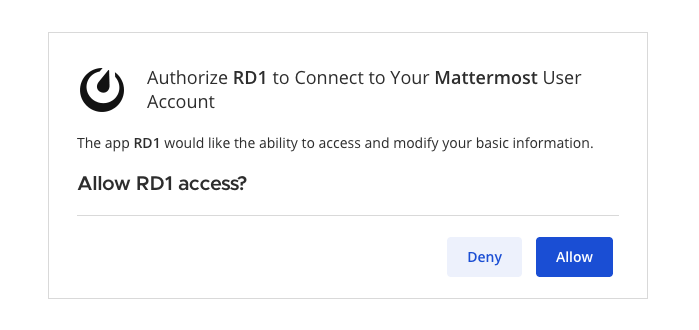
Click Connect now, then click Allow to authorize access and finish linking your Mattermost account.Once connected, you are ready to manage incidents in Rootly through Mattermost.
Once your Mattermost account is connected, you can use slash commands to declare incidents, update incident status, and move through the incident workflow directly from Mattermost.