
Overview

The Asana integration provides three workflow actions for managing tasks directly from Rootly incidents. If you are unfamiliar with how Genius workflows work, visit the Workflows documentation first.

Available Workflow Actions

Create an Asana Task

This action creates a new task in a specified Asana project.
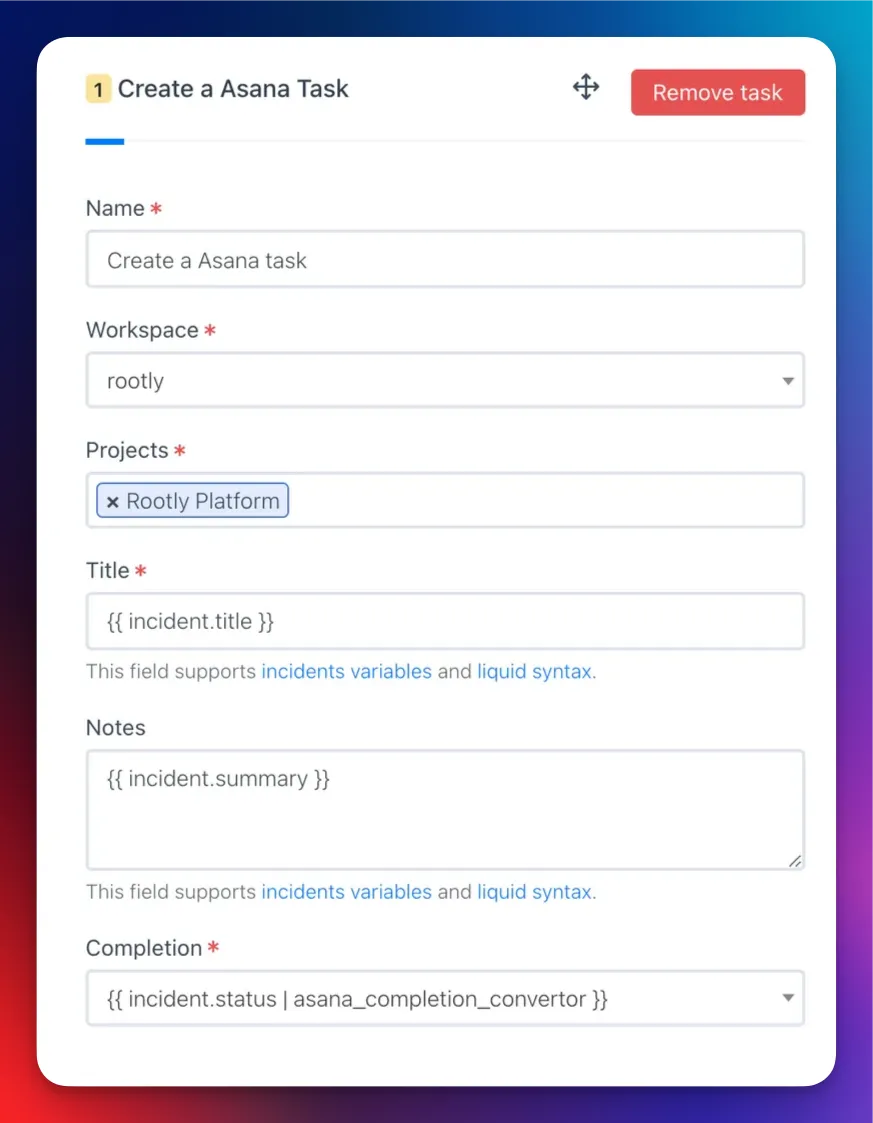
FieldDescriptionRequired
NameDisplay name for this workflow action
WorkspaceAsana workspace where the task will be createdYes
TeamAsana team used to filter available projects
ProjectsOne or more Asana projects to associate the task withYes
TitleTask title. Defaults to {{ incident.title }}. Supports LiquidYes
NotesTask description. Supports Liquid
Assign User EmailEmail of the Asana user to assign the task to. Supports Liquid
CompletionTask completion status. Auto mirrors the incident or action item statusYes
Due DateTask due date. Supports Liquid
Custom Fields MappingJSON mapping Asana custom field IDs to values. Supports Liquid
Dependency DirectionWhether this task is blocking or blocked by the dependent tasks
Dependent Task IDsAsana task IDs that this task has a dependency relationship with
Document Image
Use the Incident Variable Explorer to preview what Liquid variables return for your incidents.

Create an Asana Subtask

This action creates a subtask under an existing Asana task.
When a Create an Asana Task action runs, Rootly stores the resulting task ID on the incident record. Reference it in subsequent subtask actions using Liquid variables.
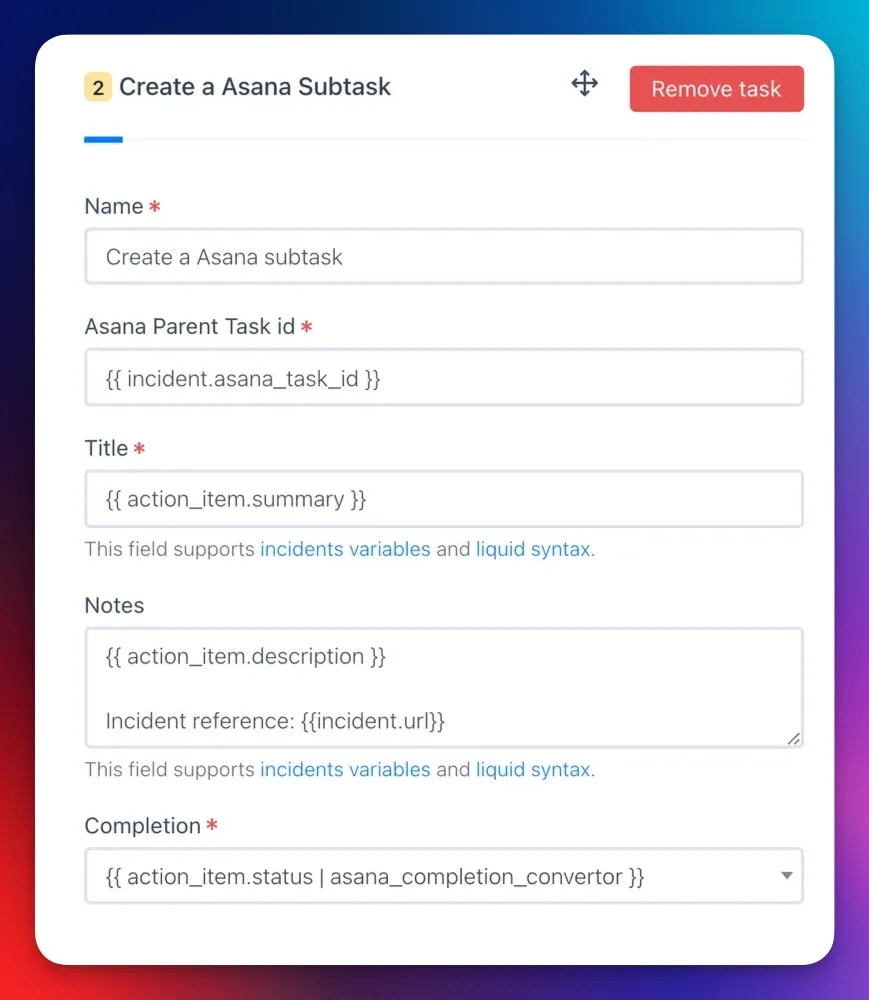
FieldDescriptionRequired
NameDisplay name for this workflow action
Parent Task IDAsana task ID of the parent task. Supports LiquidYes
TitleSubtask title. Supports LiquidYes
NotesSubtask description. Supports Liquid
Assign User EmailEmail of the Asana user to assign the subtask to. Supports Liquid
CompletionSubtask completion statusYes
Due DateSubtask due date. Supports Liquid
Custom Fields MappingJSON mapping Asana custom field IDs to values. Supports Liquid
Dependency DirectionWhether this subtask is blocking or blocked by the dependent tasks
Dependent Task IDsAsana task IDs this subtask depends on
Document Image

Update an Asana Task

This action updates an existing Asana task with new values.
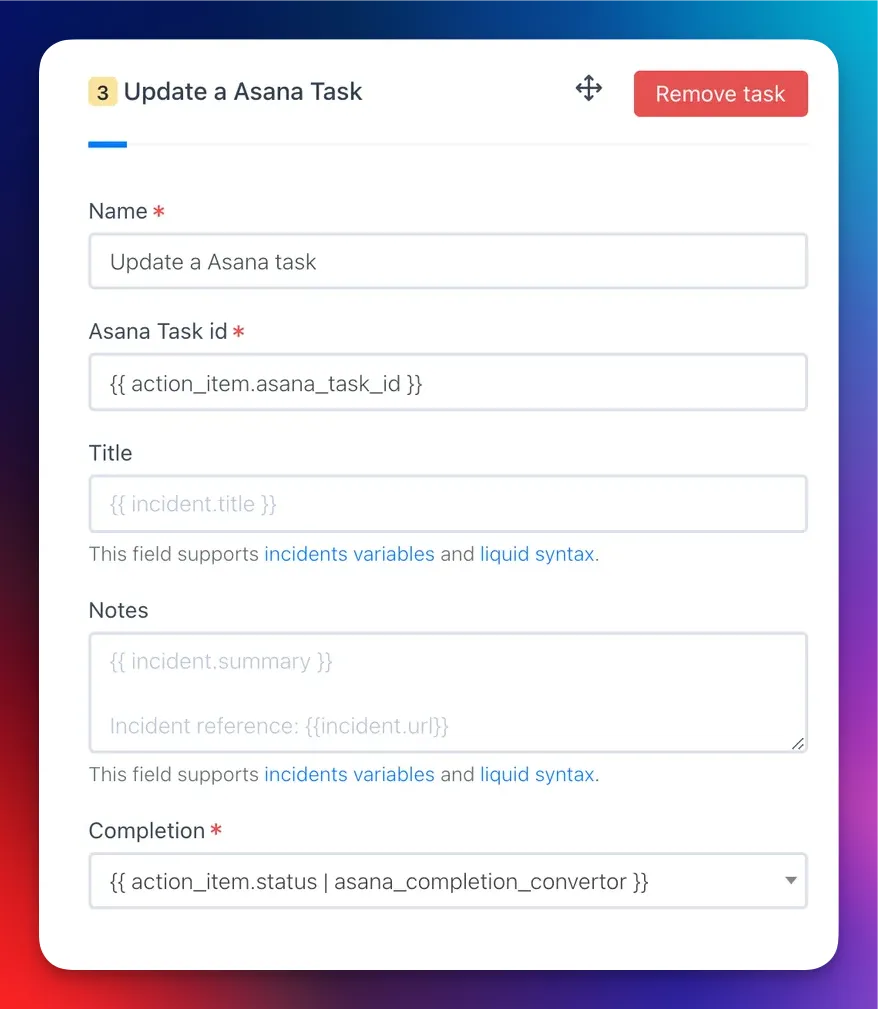
FieldDescriptionRequired
NameDisplay name for this workflow action
Task IDAsana task ID to update. Supports LiquidYes
TitleUpdated task title. Supports Liquid. Leave blank to keep existing
Assign User EmailUpdated assignee email. Supports Liquid
CompletionUpdated completion statusYes
Due DateUpdated due date. Supports Liquid
Custom Fields MappingUpdated custom field values as JSON. Supports Liquid
Dependency DirectionUpdated dependency direction: blocking or blocked by
Dependent Task IDsUpdated list of dependent Asana task IDs
Document Image

Custom Fields

Use the Custom Fields Mapping field to set Asana custom field values using a JSON object. The key is the Asana custom field ID and the value depends on the field type. Text fields
{
  "4578152156": "Not Started",
  "5678904321": "On Hold"
}
Liquid syntax in text fields
{
  "4578152156": "{{ incident.severity }}",
  "5678904321": "{{ incident.status }}"
}
Single-select enum fields — use the Asana enum option ID as the value:
{
  "5678904322": "1004598149"
}
Multi-select enum fields — use an array of enum option IDs:
{
  "5678904322": ["459021796", "1004598149"]
}
Conditional enum mapping with Liquid
{
  "4578152156": "{{ incident.severity }}",
  {% if incident.severity == "sev0" %}
  "5678904322": "1004598149"
  {% elsif incident.severity == "sev1" %}
  "5678904322": "2005678230"
  {% endif %}
}
To find custom field IDs and enum option IDs, use the Asana API or inspect the URL when editing a custom field in Asana.