

- Slack
- SSO
- Email and password
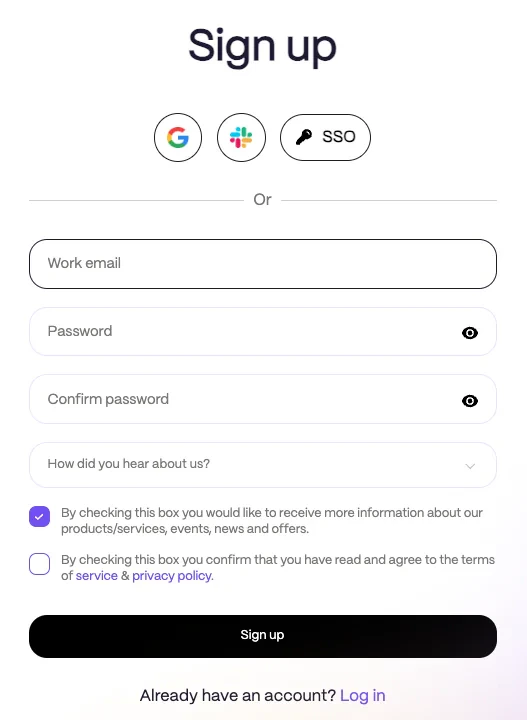
If your email domain is configured for SSO, Rootly will redirect you to your organization’s sign-in page instead of showing the standard sign-up flow.
Sign Up With Email and Password
If you choose to create an account with email and password, enter your details and create a password that meets Rootly’s requirements. Passwords must be at least 10 characters and include:- One lowercase letter
- One uppercase letter
- One digit
- One special character
- Check the box to accept the Terms of Service and Privacy Policy
- Click Sign Up
Already Invited?
If your company sent you an invitation, open the email and follow the link to complete setup. Depending on your organization’s configuration, you may finish joining with Google, Slack, SSO, or by creating a password.Already Have an Account?
If you already have a Rootly account, use Sign in instead of creating a new one. Once you finish signing up, you’re ready to start using Rootly.Related Pages
Slack Integration
Connect Rootly to Slack so responders can declare and run incidents from the channels they already use.
Microsoft Teams Integration
Connect Rootly to Microsoft Teams for chat-based incident response.
User Profile
Finish onboarding — link contact methods, verify email and phone, and connect Slack.