

Overview
Rootly AI matches your incident against everything your team already solved.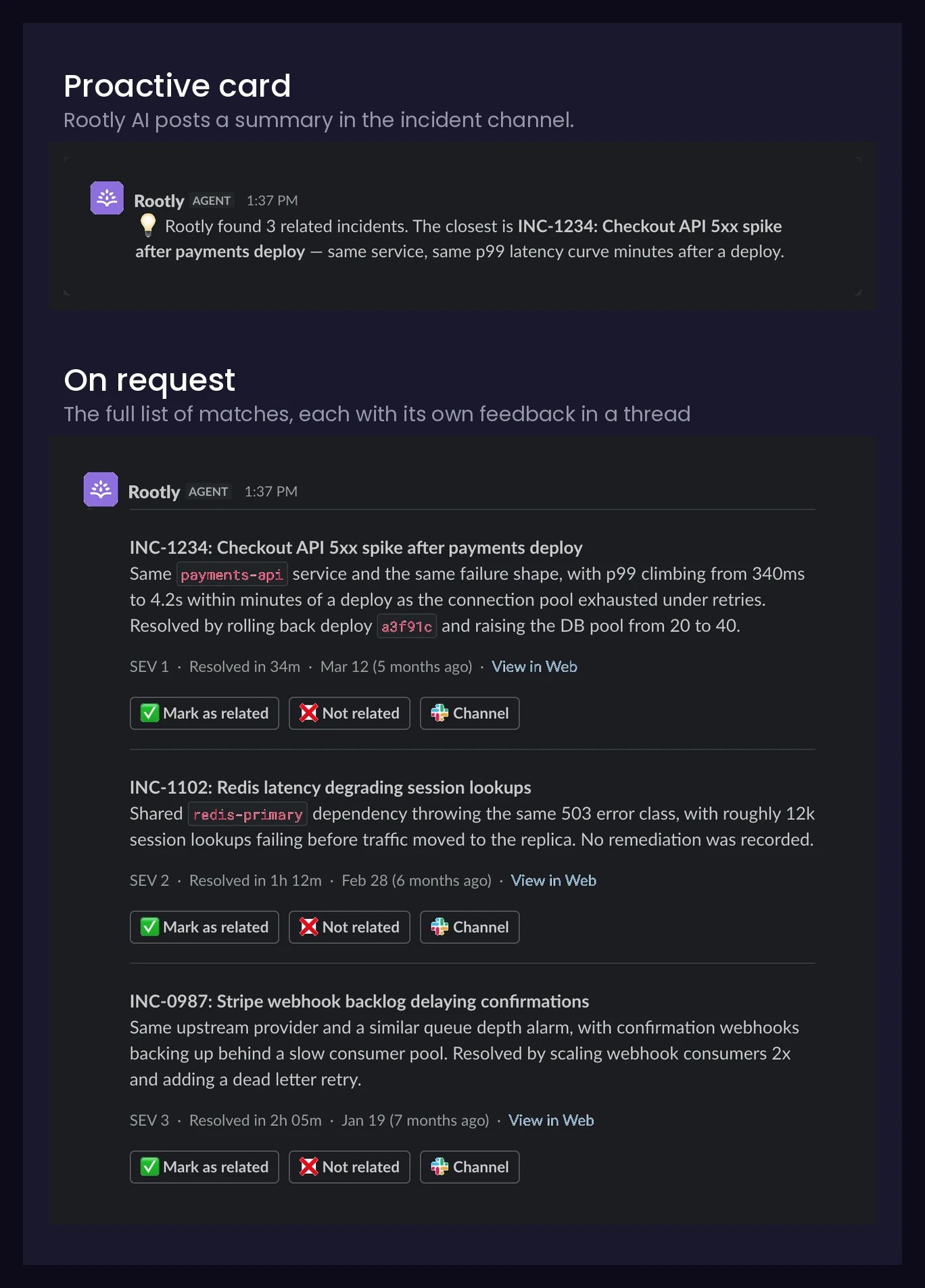
Acting on a Match
Every match card carries the same set of actions:
Feedback only shapes recommendations for your own team — it never trains models for other customers (see Privacy).
Grounded Answers
Askwhat fixed it? and get an answer you can act on mid-incident:
- On the record. The documented resolution is relayed.
- Nothing recorded. Rootly AI says so and offers the retrospective or timeline.
Selective by Design
- Reads each incident like a responder would: title, summary, severity, services, and more.
- Keeps only genuine, concrete relationships. Similar wording alone doesn’t qualify.
What Qualifies as a Match
On first enable, your history processes gradually in the background. New incidents become matchable within minutes.
Get Better Matches
- Write specific titles and summaries. Matching reads what you write.
- Fill in the fields. Every attribute is signal.
- Record how incidents end. Resolution notes and retrospectives answer “what fixed it?”
- Rate the responses. Mark as related / Not related tunes suggestions to the way your team works.
Privacy
Enforced in the product, not by prompt instructions:For retention and model detail, see Data Privacy for Rootly AI.
Setup
For Slack recommendations, Related Incidents is part of Rootly AI, behind the team-wide opt-in, and delivered by Rootly Agent in Slack. In AI SRE, this toggle enables the on-demand similar-incidents tool; initial hypothesis preparation can still retrieve similar incidents when the toggle is off.- Open AI & Agents.
- Under Features, toggle Related incidents on.
Frequently Asked Questions
Why isn't an incident I expected in the results?
Why isn't an incident I expected in the results?
Most misses are eligibility: check What Qualifies as a Match. Weak metadata can also keep a real match below the bar.